

Expenses report
Your quick view of what it costs to keep things running.
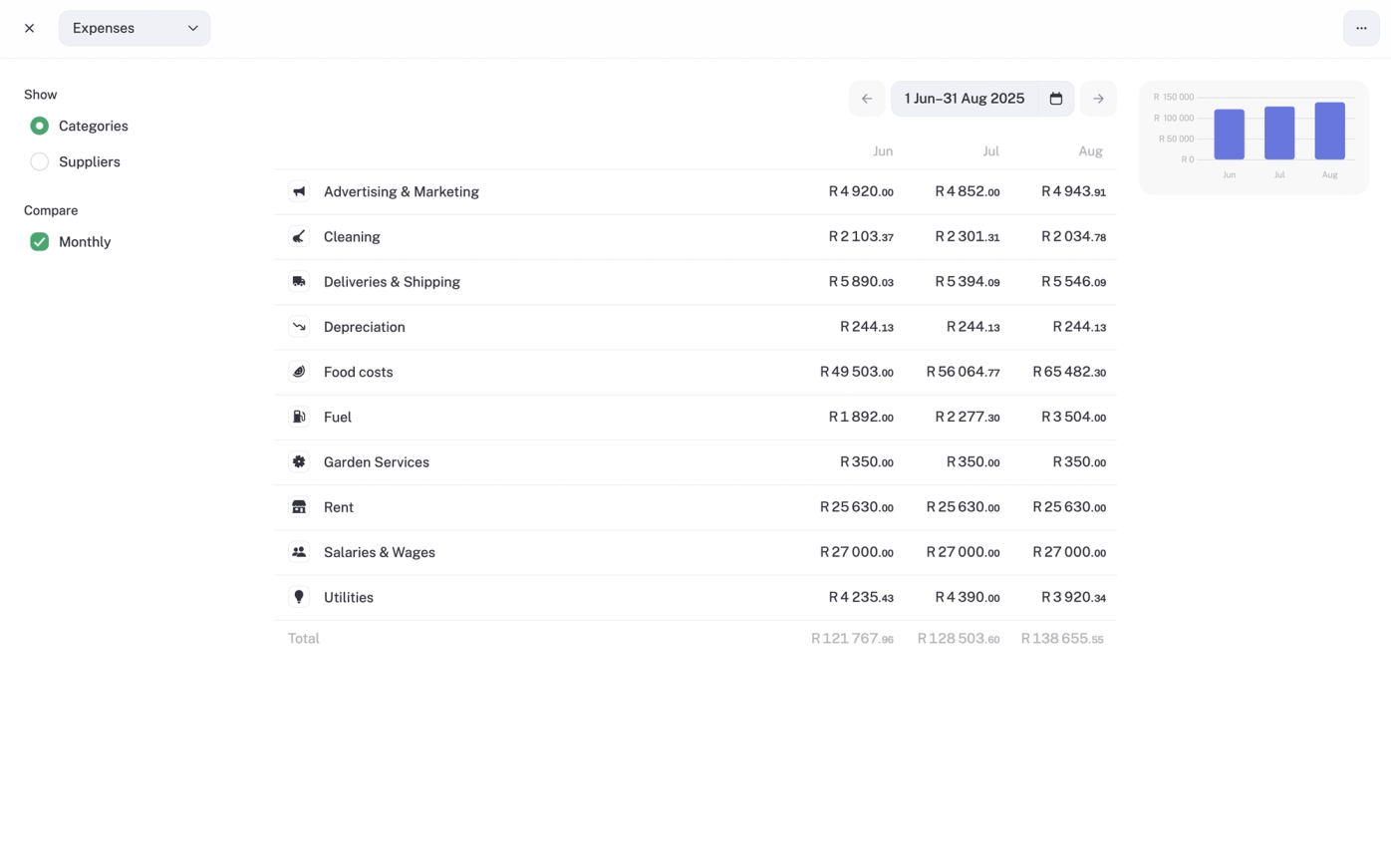
Expenses vs assets (What belongs here, and what doesn’t)
In accounting, expenses are the costs you incur to keep your business running. They’re the things that get “used up” within the financial year and reduce your profit straight away. Think rent, internet, travel, or stock you buy to resell.
Assets, on the other hand, are the bigger buys that stick around for years, like laptops, machinery, or vehicles. Instead of hitting your profit all at once, they’re tracked separately in Assets and written off (depreciation) slowly over time.
This report is focused on expenses only, not assets.
Example: A salon’s rent, internet, and monthly stock purchases appear here. A R25,000 salon chair shows up under Assets, not Expenses.
What this report shows
Total expenses for the period: the big spend number
A sum of everything you’ve spent.
Example: If the salon logs R8,000 rent, R300 software, and R1,200 travel, total expenses are R9,500 for the month.
Expenses by category: see cost patterns
Break costs into buckets like rent, software, travel, or supplies.
Example: “Subscriptions” might be creeping up because the salon is paying for multiple booking tools.
Expenses by supplier: who gets your money
See which suppliers get the most of your money.
Example: The salon might spend R20,000 a month with its main haircare wholesaler.
Dates and amounts
Every logged expense with its date. Handy if you need to check exactly when you bought something.
Example: That R2,500 stock order from April will be right here.
Where the numbers come from
- Expenses you’ve added manually in stub.
- Bank transactions you’ve categorised as expenses.
- Invoices linked to supplier accounts (Pro).
- Asset depreciation (things like spreading the cost of a laptop, van, or machinery over time).
- Invoice COGS (Cost of Goods Sold, e.g. wholesale stock the salon resells, or raw materials used for treatments).
What you can do with it
- Filter by date: month, quarter, or custom range.
- Drill down into a category or supplier to see detailed transactions.
- Export to CSV if you want to share or slice data outside stub.
💡Tips
- Stay on top of categorising. Clean categories = cleaner reports and less stress at tax time.
- Use Tags (Pro). Track expenses by project, department, or event for more insight.
- Big buys go elsewhere. That R25,000 salon chair goes under Assets, not here, so it depreciates correctly.
VAT is separate. The expense report only shows the net cost (without VAT). VAT itself lives under Liabilities, since you’re just holding it for SARS.